
Infinity Symbol Copy and Paste: ∞ on Windows, Mac, Phone
Need the infinity symbol right now? Here it is: ∞. Copy it from this page and paste it anywhere. It is the standard mathematical infinity symbol, the same character used in maths books, calculators, research papers, tattoos, jewellery and websites all over the world.
This guide gives you the symbol first, then every way to type it: Windows, Mac, iPhone, Android, Google Docs and Sheets, Word and Excel, HTML, LaTeX and Linux, plus what infinity means, where the symbol came from, and how to tell ∞ apart from lookalikes such as the infinity emoji ♾️ and the proportional to sign ∝.
Copy the Infinity Symbol (∞)
Click or tap the symbol below to select it, then copy it with Ctrl+C on Windows or Command+C on Mac. On a phone, long press the symbol and choose Copy.
∞
That is all you need for a one off use. The symbol is plain Unicode text, so it pastes into almost any app: Word, Google Docs, WhatsApp, email, social media posts, file names and code editors. If you need the pi symbol as well, our guide to copying the pi symbol gives you π in one click.
If you need infinity often, learn one keyboard method below instead of copying it each time: Alt+236 on Windows, Option+5 on Mac, and a text replacement shortcut on phones.
Infinity Symbol at a Glance
Every code and shortcut for ∞ in one place. The character is named INFINITY, Unicode U+221E, and its decimal code point is 8734.
| Detail | Value |
|---|---|
| Symbol | ∞ |
| Unicode name | INFINITY |
| Code point | U+221E (decimal 8734) |
| HTML named entity | ∞ |
| HTML decimal entity | ∞ |
| HTML hex entity | ∞ |
| LaTeX command | \infty |
| Windows Alt code | Alt+236 (numeric keypad, Num Lock on) |
| Mac shortcut | Option+5 (US keyboard layout) |
| Word shortcut | Type 221E, then Alt+X |
| CSS escape | \221E |
| JavaScript escape | \u221E |
| Excel formula | =UNICHAR(8734) |
| First used | 1655, by John Wallis |
How to Type the Infinity Symbol on Windows
Windows gives you four reliable ways to type ∞. If your keyboard has a numeric keypad, the Alt code is fastest. If it does not, the symbol panel or Character Map is the answer.
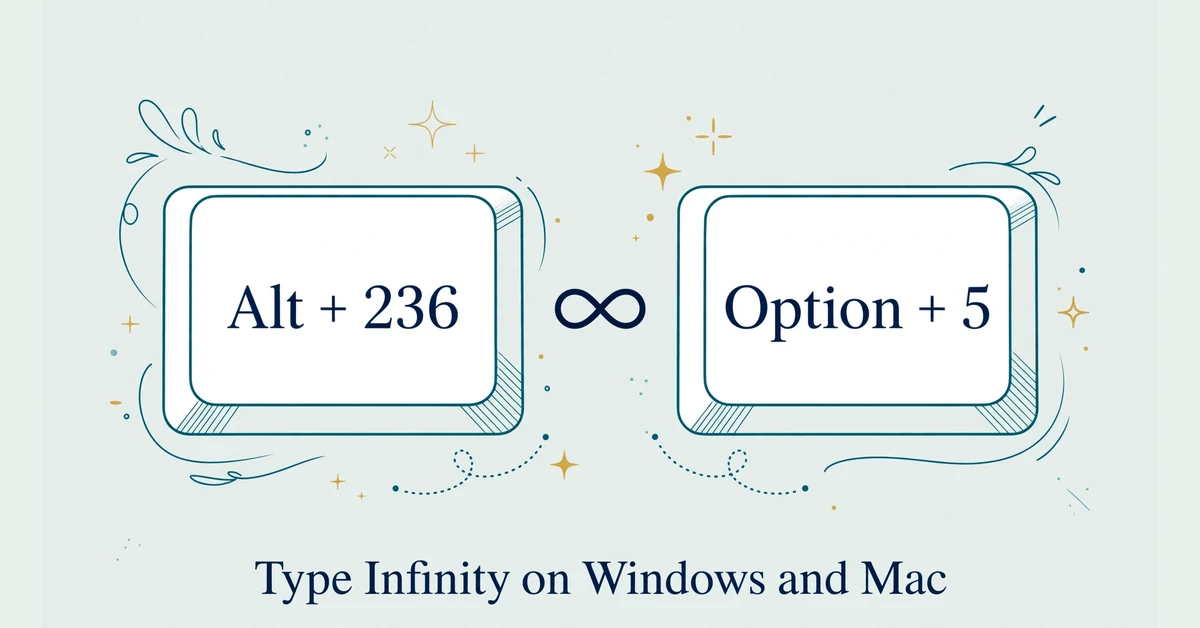
Method 1: Alt+236 on the numeric keypad. Make sure Num Lock is on, hold down Alt, type 236 on the numeric keypad (not the number row above the letters), then release Alt, and ∞ appears. Alt+236 is a genuine legacy Alt code: 236 maps to ∞ in code page 437, the original IBM PC character set that Windows still honours for Alt codes typed without a leading zero. On a laptop without a separate keypad, this method usually does not work, so use the symbol panel below instead.
One warning about the leading zero: do not type Alt+0236. The zero switches Windows to the Windows-1252 character set, where 236 is a completely different character, ì, so you will get ì instead of ∞. Drop the zero and type 236 on its own. In some apps, such as WordPad and Word, Alt+8734 also works, because 8734 is the decimal code point of the symbol, but Alt+236 is the code that works most widely.
Method 2: Windows key + period (symbol panel). Press Windows key + . (the period key) to open the emoji and symbol panel. Click the Symbols tab, which looks like the Greek letter omega (Ω), type infinity in the search box, and click ∞ to insert it. This is the best method on laptops with no numeric keypad.
Method 3: Character Map. Press Windows key + R, type charmap, and press Enter. Tick Advanced view, type infinity in the Search box, click the ∞ character, then click Select and Copy, and paste it with Ctrl+V. Microsoft documents Character Map as the way to copy individual characters from a selected font, and the same Microsoft support page explains the Alt code and Alt+X methods used in this guide.
Method 4: Word code 221E + Alt+X. In Microsoft Word, type 221E at the cursor, then press Alt+X, and Word converts the four hex digits into ∞. If the code sits right after another letter or digit, select just the four code characters first, or Word may convert the wrong string.
How to Type the Infinity Symbol on Mac
Mac users have the simplest shortcut of all. On a US keyboard layout, press Option+5 and ∞ appears. It works in Pages, Notes, Mail, browsers and almost every Mac app, with no setup at all.
If Option+5 does nothing, or types a different character, your keyboard layout is probably not US English. Check the active layout in System Settings, then Keyboard, then Input Sources, and switch to the US layout if you need the shortcut.
For the full picker, press Control+Command+Space to open Character Viewer, or choose Edit, then Emoji and Symbols, from the menu bar of most apps. Type infinity in the search box and double click ∞ to insert it. Character Viewer also holds the infinity emoji ♾️ and the related symbols ∝ and ℵ, so it is the best Mac route when you need more than the basic symbol. On a MacBook, the Fn key (or the Globe key on newer models) plus E opens the same viewer.
Mac also offers a code based route for people who type symbols often. Add the Unicode Hex Input source in System Settings, then Keyboard, then Input Sources, switch to it, hold Option, and type 221E to produce ∞. Remember to switch back to your normal input source afterwards, because while Unicode Hex Input is active, the usual Option combinations no longer type their normal symbols.
Infinity Symbol on iPhone and iPad
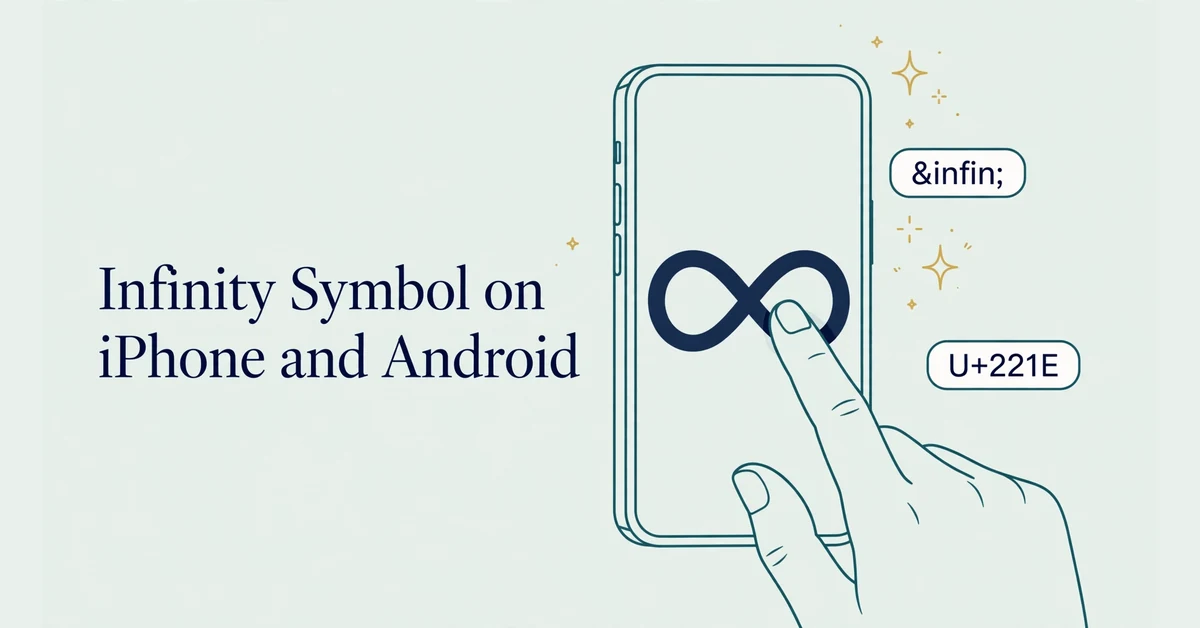
There is no ∞ key on the standard iPhone or iPad English keyboard, so you have two choices: copy it from this page, or set up a text replacement once and type a short trigger whenever you need it.
Copy and paste is the fastest option for a single use. Long press the ∞ at the top of this guide, choose Copy, switch to your app, long press where the symbol goes, and choose Paste.
For regular use, set up a text replacement: open Settings, then General, then Keyboard, then Text Replacement, tap the plus sign, paste ∞ in the Phrase field, and type a short trigger such as inf in the Shortcut field. From then on, typing inf in any app offers ∞ as a replacement. If you type maths on your phone often, our guide to the square root sign on iPhone covers the same text replacement trick for √, and the two symbols work the same way.
One thing to avoid: do not open the emoji keyboard, search for infinity, and paste the result into a maths answer. The emoji keyboard gives you ♾️, the infinity emoji, which is a different character (U+267E) that renders in colour and looks different on every platform. In a maths answer it can be marked wrong. Use the plain text ∞ from this page instead.
Infinity Symbol on Android
Android phones work much like iPhones: copy and paste for a one off use, or a shortcut for regular use. To copy, long press the ∞ at the top of this page, tap Copy, then long press in your app and tap Paste.
On Gboard, the default keyboard on most Android phones, you can also find ∞ on the symbols keyboard. Tap the ?123 key to open symbols, then the = key to open the second symbols page, and long press the = key to see ∞ in the popup choices. The exact layout varies between Gboard versions, so if you do not see it there, the copy and paste route is faster than hunting through the keyboard.
For regular use, add a shortcut in your personal dictionary: open Settings, then System, then Languages and input, then Personal dictionary, choose your language, tap the plus sign, paste ∞ in the Word field, and type a short trigger such as inf in the Shortcut field. From then on, typing inf suggests ∞. If you need the square root sign on the same phone, our guide to the square root sign on Android walks through the same keyboard setup for √.
Infinity Symbol in Google Docs and Google Sheets
Google Docs has a built in symbol picker, but Google Sheets does not, so the two apps need different routes.
In Google Docs, place the cursor where ∞ belongs, choose Insert, then Special characters. In the search box type infinity, or type the code 221E in the “by Unicode value” field, and click the ∞ character to insert it.
In Google Sheets, there is no special character picker, so copy ∞ from the top of this page and paste it into the cell. The symbol pastes as plain text, so it works in labels, headings and notes inside a sheet. Do not confuse the symbol with a number: ∞ is a character, not a value, so it cannot be used in a calculation the way a number can.
Infinity Symbol in Word and Excel
Microsoft Word offers three routes to ∞, and the best one depends on whether you are writing text or an equation. For plain text, use the code method: type 221E and press Alt+X, and Word converts it to ∞. Or choose Insert, then Symbol, then More Symbols, choose the Mathematical Operators subset, find ∞, and click Insert.
For maths, use Word’s equation editor. Press Alt+= to open an equation box, type \infty, then press the space bar, and Word turns it into a proper italic ∞. The same equation box accepts \pi for π and \sqrt for the square root sign.
In Excel, the Symbol dialog works the same way as in Word: Insert, then Symbol, then pick ∞ from the Mathematical Operators subset. For a formula that needs the character itself, type =UNICHAR(8734) in a cell, and Excel returns ∞, because 8734 is the decimal code point of the symbol.
Infinity Symbol in HTML, CSS and JavaScript
Web developers have several ways to write ∞, and the right one depends on the file and the encoding. In HTML, the named entity is the clearest option: write ∞ and the browser shows ∞. The numeric forms do the same job: ∞ is the decimal entity and ∞ is the hexadecimal entity. Entity names are case sensitive, so write ∞ exactly, with the semicolon at the end, or the browser will show the raw text instead of the symbol.
In CSS, use the escaped form \221E inside a content string, for example content: “\221E”;. In JavaScript, the Unicode escape \u221E produces ∞ inside a string, for example const inf = “\u221E”;. JavaScript also has a built in number value called Infinity, which is different from the character: Number.POSITIVE_INFINITY and the global Infinity both hold the numeric value of positive infinity, while “\u221E” holds the text symbol you can show on screen.
Infinity Symbol in LaTeX
LaTeX, the typesetting system used for most maths papers and textbooks, has a simple command for infinity. Inside maths mode, type \infty and LaTeX prints ∞. No extra package is needed for it.
It appears most often in limits, sums and integrals. For example, $\lim_{x \to \infty} \frac{1}{x} = 0$ prints the limit as x approaches infinity, $\sum_{n=1}^{\infty} \frac{1}{n^2}$ prints an infinite sum, and $\int_0^\infty e^{-x} dx$ prints an integral from zero to infinity. Remember that \infty only works inside maths mode, so always wrap it in $…$ or an equation block.
Infinity Symbol on Linux and Chromebook
Linux users can type ∞ with the Unicode input method built into most desktop environments. Press Ctrl+Shift+U, type 221e, then press Enter or the space bar, and ∞ appears. If it does nothing, your system may use a different input method, and the copy and paste route at the top of this page is the fastest fallback. Chromebooks use the same shortcut: press Ctrl+Shift+U, type 221e, and press Enter.
∞ vs ♾️ vs ∝ vs ⧜: Which One Do You Need?
Unicode holds several infinity like characters, and using the wrong one changes the meaning of a formula, or makes it look wrong, so check the table before you copy.
| Character | Name | Code point | Use it for |
|---|---|---|---|
| ∞ | INFINITY | U+221E | The maths symbol for unbounded quantity, in text and formulas |
| ♾️ | Permanent paper sign (infinity emoji) | U+267E | Casual use in messages and social media, renders in colour |
| ∝ | PROPORTIONAL TO | U+221D | Saying one quantity varies with another, as in y ∝ x |
| ⧜ | INCOMPLETE INFINITY | U+29DC | A specialist maths symbol with a gap in the right loop |
| ℵ | ALEF SYMBOL | U+2135 | Set theory, for the sizes of infinite sets such as ℵ₀ |
| +∞ / -∞ | Positive / negative infinity | + plus U+221E | Positive and negative infinity, written with a sign in front of ∞ |
The most common mistake is using ♾️ in a maths answer. The emoji looks like infinity, but it is a different character, U+267E, that renders in colour and can look different on every phone and computer. A teacher or an exam marker expects the plain text symbol ∞, U+221E. The other common mix up is ∝, U+221D, which means “proportional to”, as in y ∝ x, and never means infinity on its own. The Unicode code chart for the Mathematical Operators block, published by the Unicode Consortium, lists ∞ and ∝ with their official names and code points.
What Does the Infinity Symbol Mean?
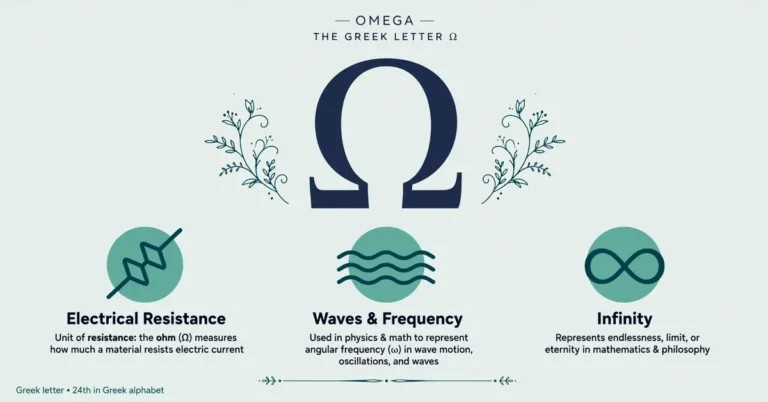
Infinity is the idea of something with no end and no limit: a quantity larger than every number, or a process that never stops. The symbol ∞ is a sideways figure eight, a shape mathematicians call a lemniscate, and it was introduced by the English mathematician John Wallis in 1655, in his treatise De Sectionibus Conicis. Wallis never explained why he chose the shape, and people have been guessing ever since. One popular idea is that it comes from the Roman numeral for 1,000, written as CIↃ, which looks a little like a sideways eight when written quickly.
In maths, ∞ appears wherever something grows without bound. In limits, x → ∞ means x grows larger than any number you can name. In interval notation, [0, ∞) means every number from zero upwards, with no top end. In infinite series, a sum runs on forever, as in the sum of 1 + 1/2 + 1/4 + 1/8 and so on, which approaches 2 but never passes it. In set theory, the alef symbol ℵ₀ stands for the size of the set of counting numbers, the smallest kind of infinity, and Cantor showed that there are larger infinities beyond it.
In physics, ∞ marks the places where a quantity has no limit: an object infinitely far away, a field that fades to zero only at infinity, or a process that runs forever. In everyday life the symbol has travelled far beyond maths. It stands for eternity, endless love, and a bond with no end, which is why it turns up on rings, necklaces, tattoos and anniversary cards. The loop has no beginning and no end, and that is exactly the point: whatever it stands for, it does not stop.
Troubleshooting: When Infinity Will Not Type
Alt+236 types ì, or a different character. You probably typed 0236 with a leading zero, which switches Windows to the Windows-1252 set. Type 236 with no leading zero, on the numeric keypad, with Num Lock on.
Alt+236 types nothing at all. Check Num Lock first, and that you typed on the numeric keypad, not the number row. Some apps do not support legacy Alt codes at all, so switch to the Windows key + period panel or Character Map instead.
Option+5 types something else on my Mac. Your keyboard layout is probably not US English. Switch to the US layout in System Settings, or use Character Viewer with Control+Command+Space and search for infinity.
Word leaves 221E as plain text. The cursor must sit immediately after the four code characters when you press Alt+X. If the code follows another hex letter, select just the 221E first.
∞ shows as text on my web page, not as ∞. Check that you wrote ∞ exactly, with the semicolon, and that the file is not double escaping the ampersand. If your editor shows ∞ in the source, remove the extra amp; and write ∞ once.
I pasted ∞ but it shows as a box or a question mark. The font in that app has no infinity glyph. Switch to a common font such as Arial, Times New Roman, Calibri or Segoe UI, and the symbol will appear.
LaTeX says \infty is undefined. You are probably outside maths mode. Wrap the command in dollar signs, like $\infty$, or put it inside an equation environment.
My teacher marked ♾️ wrong. You used the infinity emoji, U+267E, instead of the maths symbol. Copy the plain text ∞, U+221E, from the top of this page and use that in your answer.
Conclusion
The infinity symbol is ∞, named INFINITY, Unicode U+221E, and the fastest way to get it is to copy it from the top of this page. When you need to type it yourself, Windows users should remember Alt+236 on the numeric keypad, with no leading zero, Mac users should remember Option+5, and phone users should set up a text replacement once and type a short trigger whenever it is needed. Word users can type 221E and press Alt+X, Google Docs users can use Insert and Special characters, and web developers can write ∞ in HTML or \infty in LaTeX. The symbol was introduced by John Wallis in 1655, and it stands for a quantity with no end and no limit, in limits, intervals, infinite sums and set theory, and in everyday life for eternity and endless love. Keep ∞, ♾️, ∝ and ⧜ straight, and the right character will be in the right place every time.
Frequently Asked Questions
How do I copy and paste the infinity symbol?
Select the ∞ at the top of this page, copy it with Ctrl+C on Windows or Command+C on Mac, then paste it with Ctrl+V or Command+V where you need it. On a phone, long press ∞, choose Copy, then long press in your app and choose Paste. It pastes into Word, Google Docs, WhatsApp, email and most other apps.
How do I type the infinity symbol on Windows?
Hold Alt and type 236 on the numeric keypad with Num Lock on, then release Alt. Do not type 0236, because the leading zero gives ì instead of ∞. If your keyboard has no numeric keypad, press Windows key + period to open the symbol panel, search for infinity, and click ∞. In Word you can also type 221E and press Alt+X.
How do I type the infinity symbol on a Mac?
Press Option+5 on a US keyboard layout and ∞ appears. If that does nothing, your layout may not be US English, so press Control+Command+Space to open Character Viewer, search for infinity, and double click ∞ to insert it.
How do I type infinity on iPhone or Android?
Copy ∞ from this page for a one off use. For regular use, set up a text replacement: on iPhone go to Settings, General, Keyboard, Text Replacement, and add ∞ with a short trigger such as inf. On Android, add the same shortcut in your personal dictionary under Languages and input. Do not use the ♾️ emoji in a maths answer, because it is a different character.
What is the HTML code for the infinity symbol?
Write ∞ for the named entity, ∞ for the decimal entity, or ∞ for the hexadecimal entity. All three show ∞ in a browser. Entity names are case sensitive, so write ∞ exactly, with the semicolon at the end.
How do I write infinity in LaTeX?
Type \infty inside maths mode, for example $x \to \infty$. It appears in limits such as $\lim_{x \to \infty} \frac{1}{x} = 0$, in infinite sums such as $\sum_{n=1}^{\infty}$, and in integrals such as $\int_0^\infty$. LaTeX commands only work inside maths mode, so wrap them in dollar signs or an equation environment.
What is the Unicode for the infinity symbol?
Infinity is U+221E, named INFINITY, with the decimal code point 8734. It lives in the Mathematical Operators block of Unicode. The infinity emoji ♾️ is a different character, U+267E, the proportional to sign ∝ is U+221D, and the alef symbol ℵ is U+2135. The Unicode Consortium publishes the official code chart for the Mathematical Operators block with every one of these characters.
How do I insert infinity in Google Docs?
Choose Insert, then Special characters, type infinity in the search box or 221E in the Unicode value field, and click ∞ to insert it. In Google Sheets there is no symbol picker, so copy ∞ from this page and paste it into the cell. The symbol pastes as plain text and cannot be used in a calculation.
What is the difference between ∞ and ♾️?
∞ (U+221E) is the plain text maths symbol for infinity, and it looks the same everywhere. ♾️ (U+267E) is the infinity emoji, which renders in colour and looks different on every platform. Use ∞ in maths, homework, papers and documents, and keep ♾️ for casual messages and social media posts.
What does the infinity symbol mean?
Infinity means something with no end and no limit, a quantity larger than every number. The symbol ∞ was introduced by John Wallis in 1655, and it appears in limits such as x → ∞, in intervals such as [0, ∞), in infinite sums and in set theory. Outside maths it stands for eternity and endless love, which is why it appears on rings, necklaces and tattoos.

Jack Harrison is a contributor at Square Root Signs, sharing creative ideas, useful information, and engaging content to help readers discover something valuable with every visit.