What Is the Square Root Sign? √ Meaning, Name & Uses
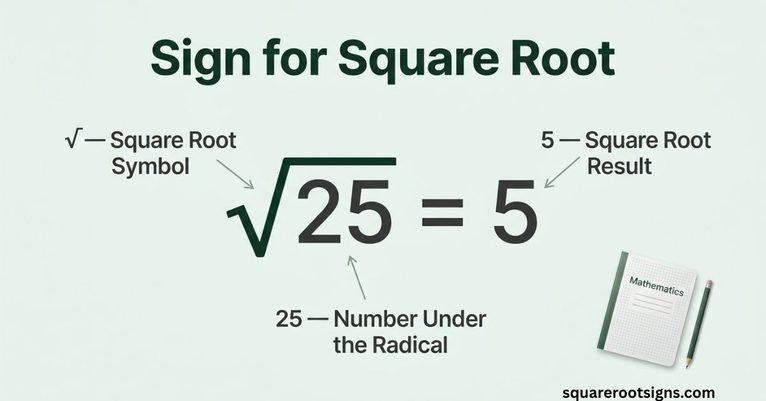
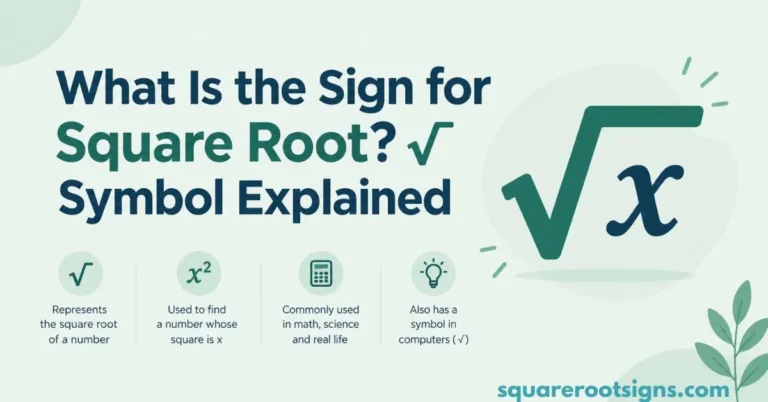
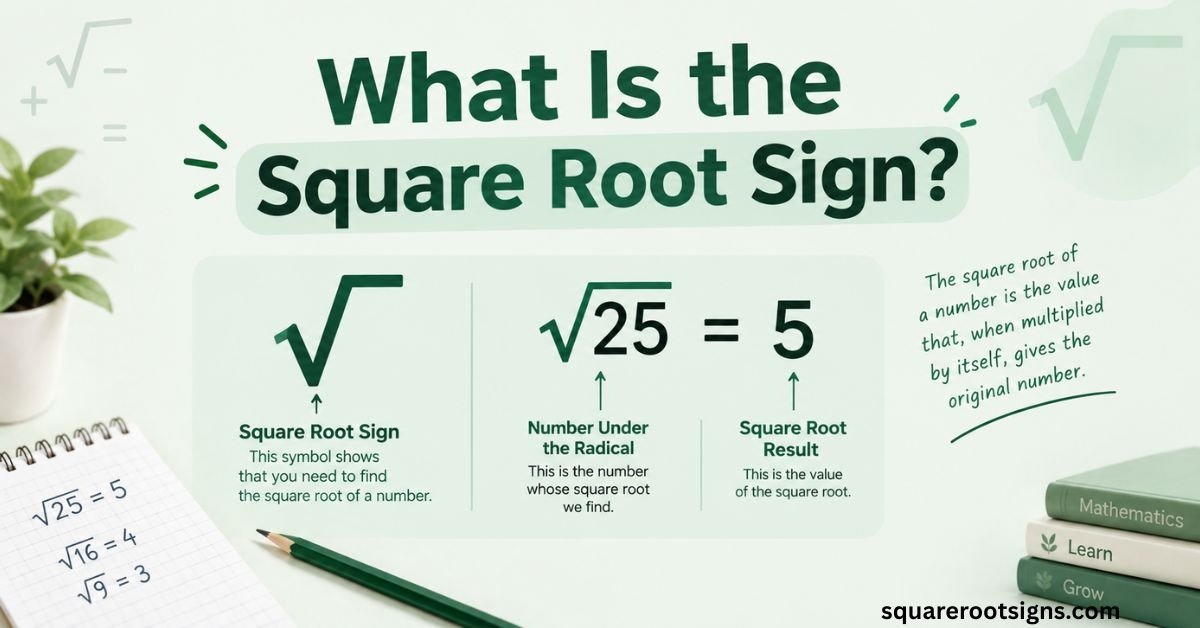
The square root sign is √, a mathematical symbol used to show the square root of a number or expression. It is officially named SQUARE ROOT in Unicode and is also commonly called the radical sign. In an expression such as √25, the √ is the radical sign, while 25 is the radicand.
If you have ever searched for the square root sign, wondered what the symbol is called, or simply needed to copy √ into a document, equation, spreadsheet, or message, this guide covers all three needs. You will learn the square root symbol name, what it means in mathematics, how it differs from a checkmark, where to copy it, and how to type it on Windows, Mac, Word, Google Docs, Android, and iPhone.
What Is a Square Root?
A square root is a number that produces the original number when multiplied by itself. For example, 5 is a square root of 25 because 5 × 5 = 25. Likewise, 8 is a square root of 64 because 8 × 8 = 64. The square root operation reverses squaring, which makes it an important part of elementary and advanced mathematics.
The symbol √ tells you to take the principal square root. The number or expression underneath the radical is called the radicand, and the complete mathematical expression is called a radical expression. For example, in √36, √ is the radical sign, 36 is the radicand, and the principal square root is 6.
Why Is It Called a Square Root?
The word “square” comes from the relationship between a number and the area of a square. If a square has an area of 49 square units, each side is 7 units long because 7 × 7 = 49.
Finding the square root reverses this process. Instead of starting with a side length and calculating the area, you start with the area and find the side length. This is why square roots appear in geometry, algebra, measurement, and many practical calculations.
What Is the Square Root Symbol Name?
The symbol √ is officially named SQUARE ROOT in the Unicode Standard, with the code point U+221A. Unicode also identifies it as a radical sign. In mathematics, “radical sign” is the common technical name for the symbol used to indicate a root.
You may therefore see several related names in search results: square root sign, square root symbol, radical sign, radical symbol, root symbol, or simply √. In ordinary use, these terms often refer to the same visible symbol when it is being used for a square root.
The Square Root Sign Is Not a Checkmark
The square root sign √ can look similar to a checkmark, but the two symbols have completely different meanings. Unicode identifies √ as U+221A SQUARE ROOT, while the check mark ✓ is a separate character at U+2713.
A checkmark normally indicates approval, completion, correctness, or selection. The square root sign belongs to mathematical notation. For example, √25 = 5 is a mathematical expression, while ✓ might be used to show that a task has been completed.
√ vs ✓: What Is the Difference?
| Symbol | Name | Unicode | Common use |
| √ | Square Root / Radical Sign | U+221A | Mathematics |
| ✓ | Check Mark | U+2713 | Approval or completion |
The visual similarity can cause confusion when copying symbols from the web, but they are different characters and should not be substituted for one another.
The Radical Sign and the Bar That’s Missing
The familiar √ is the radical sign, but a properly typeset square-root expression normally has a horizontal bar extending over the entire radicand. That bar is often called a vinculum. It visually shows which part of the mathematical expression belongs under the radical.
For example, in √(x + 5), the radical structure indicates that the entire expression x + 5 is inside the square root. This distinction becomes especially important in longer equations, where the placement of the radical bar affects how the expression is interpreted.
What Is a Radicand?
The radicand is the number, variable, or mathematical expression underneath the radical sign. In √36, the radicand is 36. In √(x + 4), the radicand is x + 4.
Understanding the term radicand makes mathematical instructions easier to follow. Instead of saying “the number underneath the square root,” textbooks can simply refer to the radicand. OpenStax uses this terminology when explaining radical expressions and principal square roots.
How to Show Exactly What’s Under the Square Root Sign
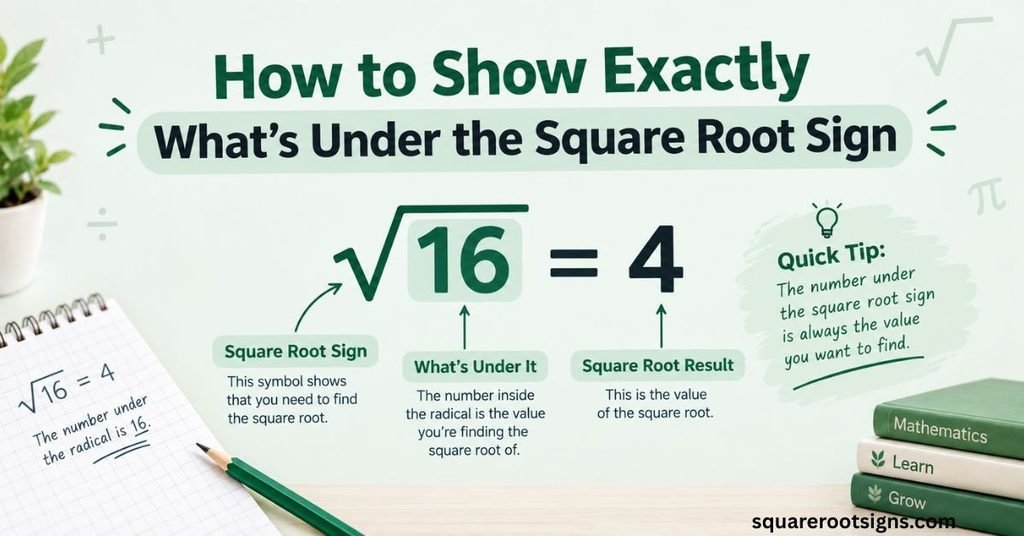
When a square root contains a single number, notation is straightforward: √16 = 4. When it contains several terms, parentheses or proper mathematical formatting can make the intended radicand clear.
For example, √(25 + 11) means the square root of the entire quantity 25 + 11. You first evaluate the expression inside the radical and then take its square root. This is different from calculating √25 + 11. Mathematical grouping matters.
Square Root Examples
Here are a few simple examples:
- √9 = 3
- √16 = 4
- √25 = 5
- √36 = 6
- √100 = 10
These are examples of perfect squares, because each result is a whole number whose square gives the original number.
Positive and Negative Square Roots
There is an important distinction between square roots of a number and the value represented by the radical sign. A positive number has two square roots: one positive and one negative. For example, both 5 and −5 have a square of 25. However, √25 means the principal, nonnegative square root, which is 5.
If an equation asks you to solve x² = 25, the solutions are x = 5 and x = −5. But if you simply write √25, the radical notation refers to the principal square root, so the answer is 5 rather than ±5. This distinction is a common source of confusion for students.
Is √25 Equal to ±5?
No. √25 = 5 because the radical sign represents the principal, nonnegative square root.
However, the equation x² = 25 has two solutions:
x = ±5
This difference between radical notation and solving an equation is important when working with square roots.
What Happens With Zero and Negative Numbers?
Zero has exactly one square root: √0 = 0. Positive real numbers have a positive principal square root, while negative numbers do not have real square roots. Negative inputs can be handled using complex numbers, but that goes beyond ordinary real-number square-root notation.
Square Root Sign Copy and Paste
If you only need the symbol quickly, copy this:
√
You can paste the square root sign into Google Search, Microsoft Word, Google Docs, Excel, a spreadsheet, an email, social media, or a text message.
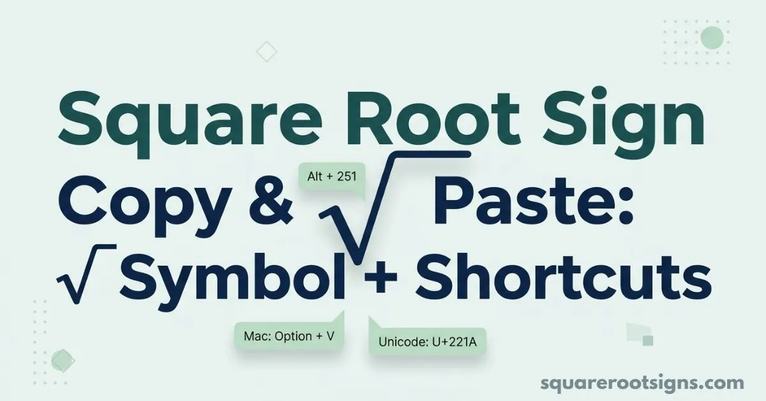
The official Unicode code point for the symbol is U+221A, and Unicode lists its character name as SQUARE ROOT.
Square Root Sign Copy and Paste Options
| Need | Symbol or value |
| Square root sign | √ |
| Unicode | U+221A |
| HTML entity | √ |
| HTML numeric reference | √ |
| Unicode decimal value | 8730 |
| Square root LaTeX | \sqrt{x} |
For ordinary text, copying √ is usually the fastest option. For mathematical documents, however, a dedicated equation editor may provide better formatting because it can automatically create the radical bar around a longer expression.
How to Type the Square Root Sign on Any Device
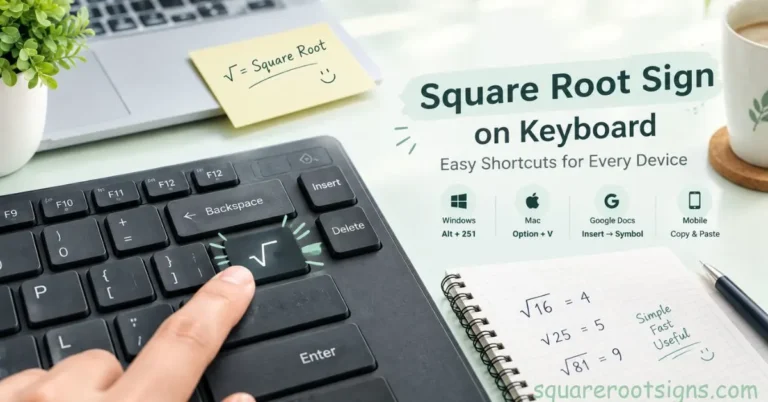
The easiest way to enter √ depends on your operating system or application. Windows users can use an Alt code or Character Map, Mac users can use a keyboard shortcut, and Microsoft Word and Google Docs provide built-in symbol or special-character tools.
On phones, the fastest method is often copy and paste, although some Android keyboards expose √ through their symbol panels. iPhone and iPad users can also create a text replacement so a short custom shortcut automatically expands into the square root symbol.
Type the Square Root Sign on Windows
On a Windows PC with a numeric keypad, make sure Num Lock is enabled, hold Alt, and type 251 on the numeric keypad. Release Alt and the square root sign should appear:
Alt + 251 → √
If your keyboard does not have a numeric keypad, Windows Character Map is another practical method for locating and copying the symbol.
Type the Square Root Sign on Mac
On macOS, the common keyboard shortcut is:
Option + V → √
This is useful when you frequently need the symbol while writing mathematical notes, documents, or messages.
Type the Square Root Sign in Microsoft Word
Microsoft Word provides several ways to insert the symbol. You can use Insert → Symbol → More Symbols and select the square root character from the mathematical symbols.
For Unicode input, Word also supports entering 221A and then pressing Alt + X to convert the code into √.
For complex equations, Word’s equation editor is usually better than inserting a plain Unicode character because it can format the radical structure correctly.
Type the Square Root Sign in Google Docs
In Google Docs, go to:
Insert → Special characters
Then search for square root or locate the symbol in the mathematical character options. Select √ to insert it into your document.
This method is especially useful if you are working in a browser and do not want to memorize a keyboard shortcut.
Type the Square Root Sign on Android
On Android phones, the exact keyboard layout can vary by device and keyboard app. Some keyboards provide mathematical symbols through the symbols screen, while others may not show √ directly.
If you cannot find it, the simplest solution is to copy √ from this article and paste it wherever you need it. You can also save the symbol in a text shortcut if your keyboard supports custom shortcuts.
Type the Square Root Sign on iPhone or iPad
The standard iPhone and iPad keyboard does not always provide a dedicated square root key. For occasional use, copying √ is the easiest solution.
For frequent use, you can create a text replacement in iOS settings so that a short phrase automatically expands into the square root symbol. This saves time when you regularly type mathematical notation.
Type the Square Root Sign on Linux
Linux desktop environments can support Unicode character input. A common method is to press:
Ctrl + Shift + U
Then enter:
221A
Press Enter or Space to produce:
√
The exact behavior can depend on the desktop environment and application, so copying and pasting remains a reliable fallback.
The Square Root Sign in Code and Spreadsheets
There is a difference between displaying the square root symbol and calculating a square root in software. The character √ is a Unicode symbol, while programming languages and spreadsheet applications generally use functions to perform the mathematical operation.
For example, Python uses math.sqrt(), JavaScript uses Math.sqrt(), and spreadsheet applications such as Excel and Google Sheets use the SQRT() function.
Square Root in Excel and Google Sheets
To calculate the square root of the value in cell A1, you can use:
=SQRT(A1)
For example, if A1 contains 81:
=SQRT(A1)
returns:
9
This calculates the value; it does not simply insert the visible √ character.
Square Root in Python and JavaScript
In Python, the math.sqrt() function can calculate a square root after importing the math module:
math.sqrt(25)
In JavaScript, you can use:
Math.sqrt(25)
Both return the numerical result 5.
If your goal is only to display the symbol in text, you can use the Unicode character √ instead of a mathematical square-root function.
Conclusion: What Is the Square Root Sign?
So, what is the square root sign? It is the mathematical symbol √, officially named SQUARE ROOT in Unicode and commonly known as the radical sign. It represents the principal square root, while the number or expression underneath it is called the radicand.
Whether you searched for the square root symbol name, wanted to copy and paste √, needed the Unicode value U+221A, or wanted to type it on Windows, Mac, Word, Google Docs, Android, or iPhone, the symbol is simple once you know the right method. For mathematical calculations, remember that the radical sign represents the principal square root; for equations such as x² = 25, both positive and negative solutions may apply.
Sources and Accuracy Notes
The mathematical terminology and principal-square-root explanation in this article are checked against OpenStax mathematics textbooks, which define the radical, radicand, radical expression, and principal square root.
The character name and Unicode identification of √ as U+221A SQUARE ROOT are checked against the Unicode Standard. Unicode also distinguishes √ from the check mark ✓.
Last reviewed: September 2026
FAQs
What is the square root sign?
The square root sign is √. It is a mathematical symbol used to indicate a square root and is also called the radical sign. Unicode identifies √ as U+221A SQUARE ROOT.
What is the square root symbol called?
The symbol √ is called the square root sign or radical sign. Its official Unicode character name is SQUARE ROOT.
Is √ the same as the radical sign?
Yes. In standard mathematical terminology, √ is the radical sign when it is used to represent a square root. The expression beneath it is called the radicand.
What does √ mean in math?
The symbol √ means that you are taking the principal square root of the number or expression underneath it. For example, √49 = 7 because 7 × 7 = 49.
What is the Unicode for the square root sign?
The Unicode code point for √ is U+221A. Unicode lists the character name as SQUARE ROOT and identifies radical sign as an associated name.
How do I copy and paste the square root sign?
Simply copy this character:
√
You can paste it into Word, Google Docs, Excel, websites, emails, messages, and other applications that support Unicode text.
How do I type the square root sign on Windows?
On a Windows keyboard with a numeric keypad, use Alt + 251. You can also use Character Map or insert the symbol through an application such as Microsoft Word.
How do I type the square root sign on a Mac?
Press Option + V on a Mac keyboard to insert √.
How do I type the square root sign on Android?
Depending on your keyboard, √ may be available in the symbols section. If it is not, copy √ and paste it into your text. A keyboard text shortcut can also make frequent use faster.
How do I type the square root sign on iPhone?
The easiest option is to copy √ and paste it. If you use the symbol frequently, an iPhone text replacement can automatically insert it when you type a custom shortcut.
Is the square root sign the same as a checkmark?
No. √ is the square root symbol, while ✓ is a check mark. They are different Unicode characters with different meanings.
Is √25 equal to ±5?
No. √25 = 5 because the radical sign represents the principal, nonnegative square root. The equation x² = 25, however, has two solutions: x = ±5.
Quick Reference: Square Root Sign
| Item | Answer |
| Square root sign | √ |
| Symbol name | Square Root / Radical Sign |
| Unicode | U+221A |
| Decimal code point | 8730 |
| Windows | Alt + 251 |
| Mac | Option + V |
| Word Unicode input | 221A + Alt + X |
| Google Docs | Insert → Special characters |
| Android | Symbols panel or copy/paste |
| iPhone/iPad | Copy/paste or text replacement |
| Excel / Google Sheets | =SQRT(A1) |
| Python | math.sqrt() |
| JavaScript | Math.sqrt() |
| LaTeX | \sqrt{x} |

Jack Harrison is a contributor at Square Root Signs, sharing creative ideas, useful information, and engaging content to help readers discover something valuable with every visit.